
StuLOG
Log study time in 15-minute blocks. See your progress with charts by subject.
Screenshots
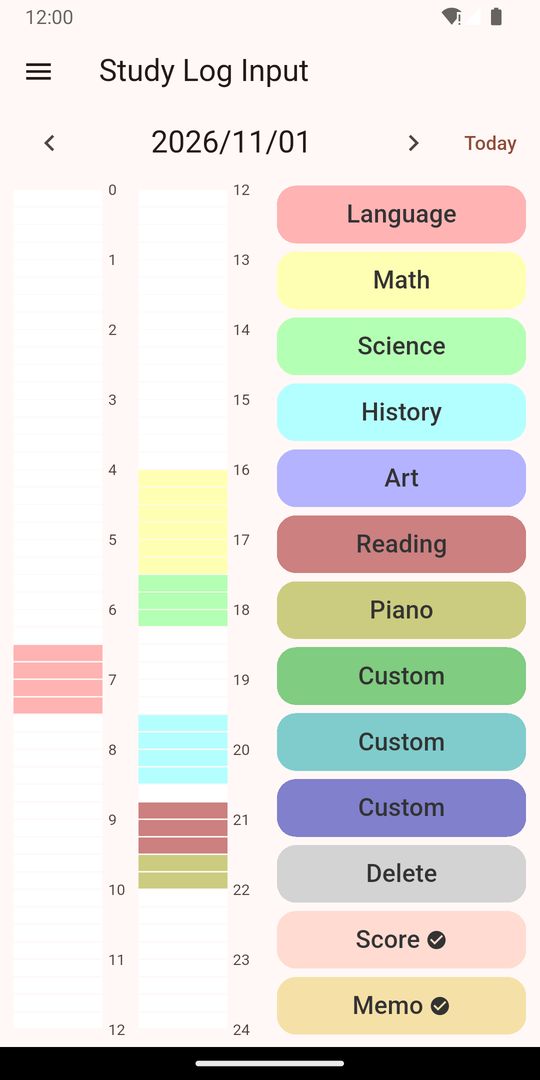
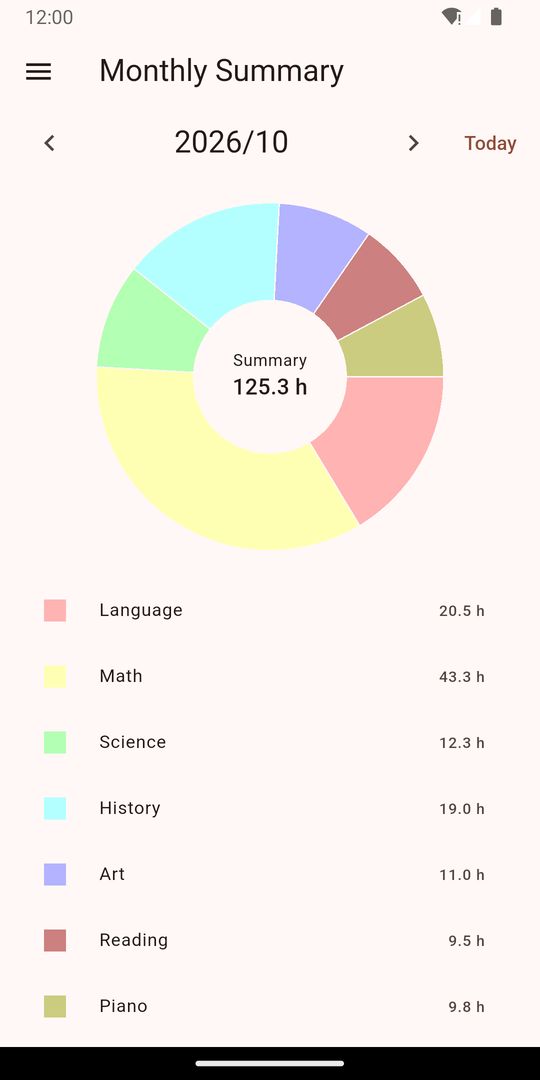
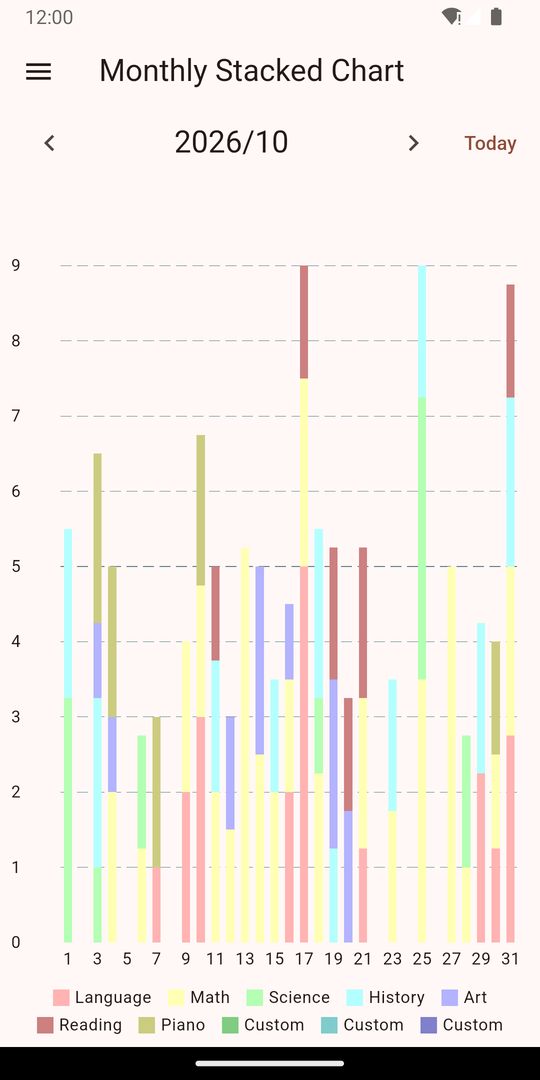
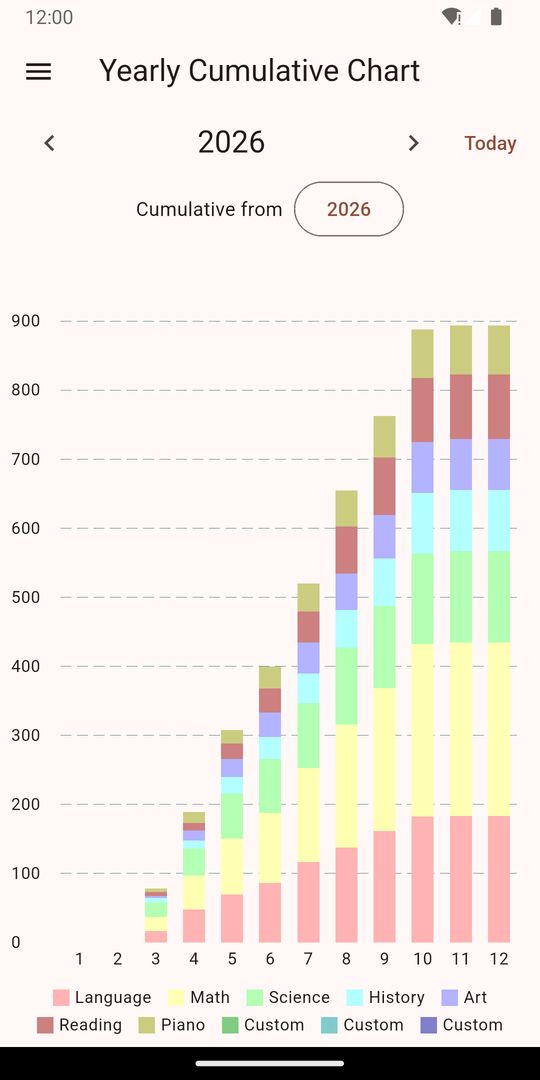
A simple study log: pick a subject, enter the time, and your day is recorded. Each day is divided into 15-minute blocks, and your entries become monthly and yearly charts and reports.
What you can do
- Record a day in 96 blocks (15 minutes each): choose a subject, then set the start and end time
- Up to 10 subjects, with names you can edit
- Monthly and yearly summaries (pie charts)
- Monthly and yearly stacked charts (study time per day or per month)
- Monthly and yearly cumulative charts (choose a starting month and see the hours add up)
- Enter scores per subject and follow them in the yearly score chart
- A note for each day, and a list of all your notes
- Export your records as CSV (opens in spreadsheet apps)
- Back up and restore your records (JSON file)
- A reminder when you have not logged for a while (you can turn notifications off in your device settings)
Good for
Exam prep, certification study, school tests, language learning, reading, or practicing a hobby. Seeing how much time each subject gets makes planning easier.
About your data
Your records are stored on your device. No account is needed. If Android's automatic backup is on, your records may be restored when you switch phones.
Notes
- Ads are shown at the bottom of the screen.
- You may be asked for consent about ads when you first open the app. You can change your choice any time from "Privacy settings" in the menu.