Renewal Daybook
Manage subscription renewals by ledger and calendar. 30 currencies.
Screenshots
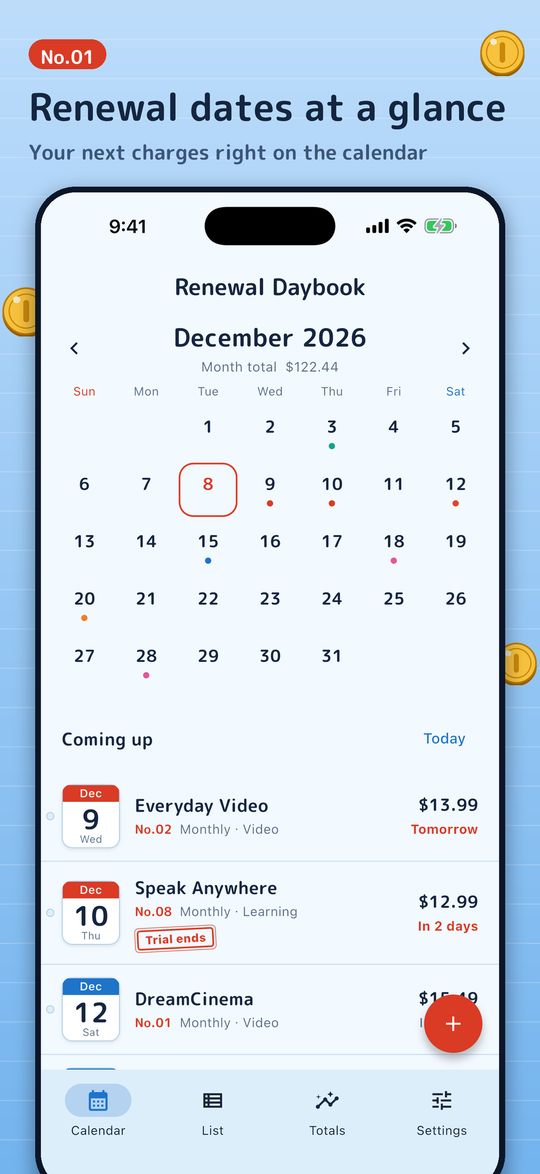
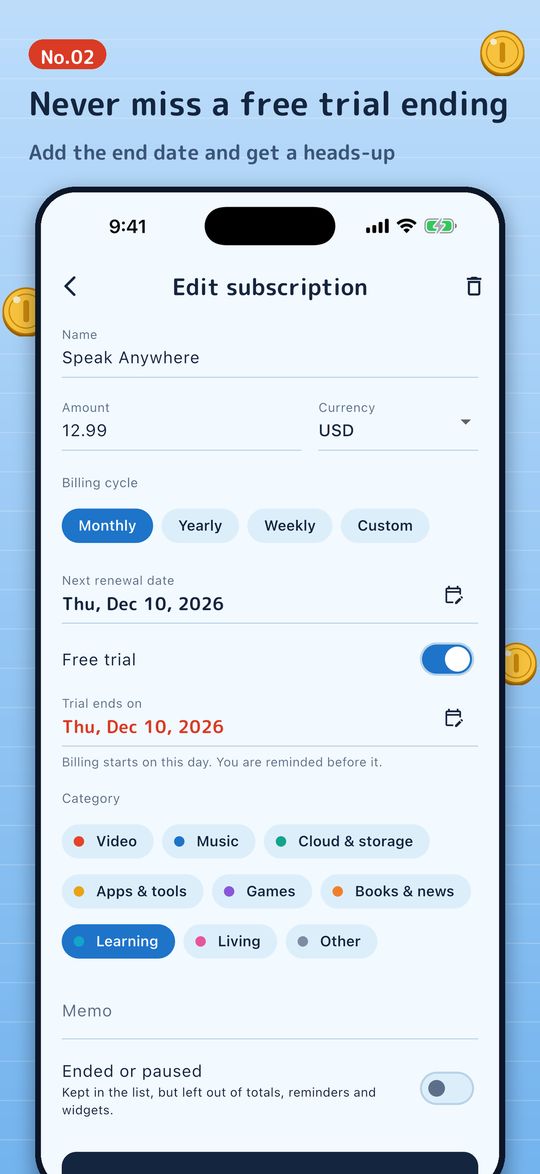
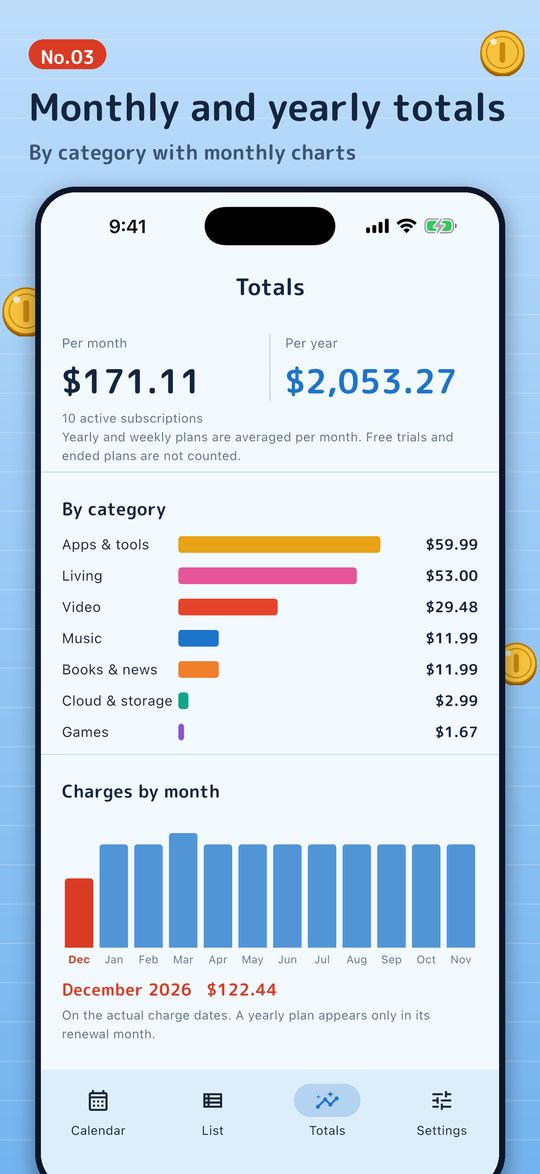
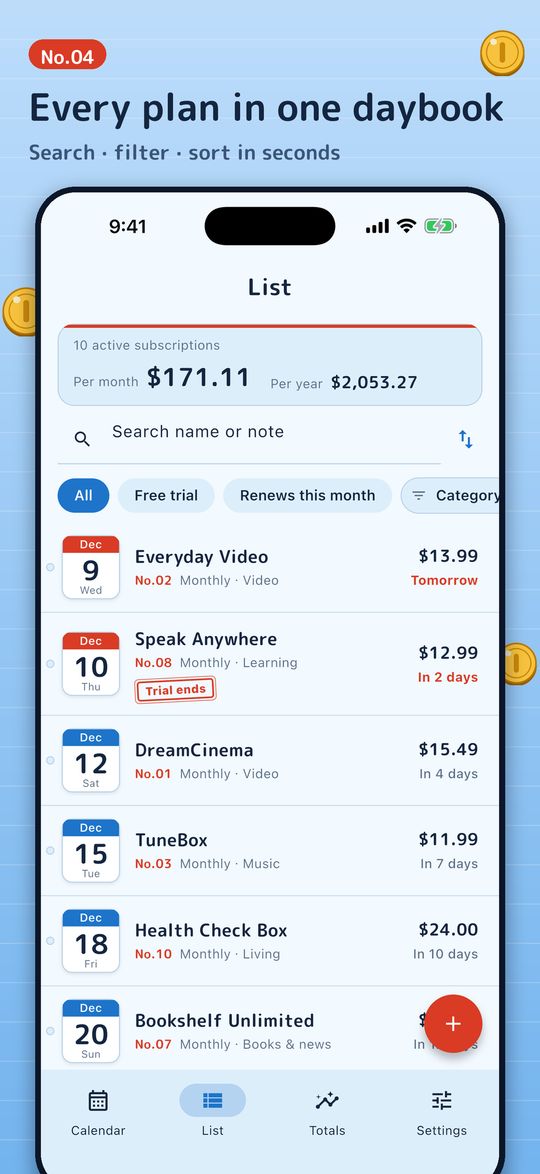
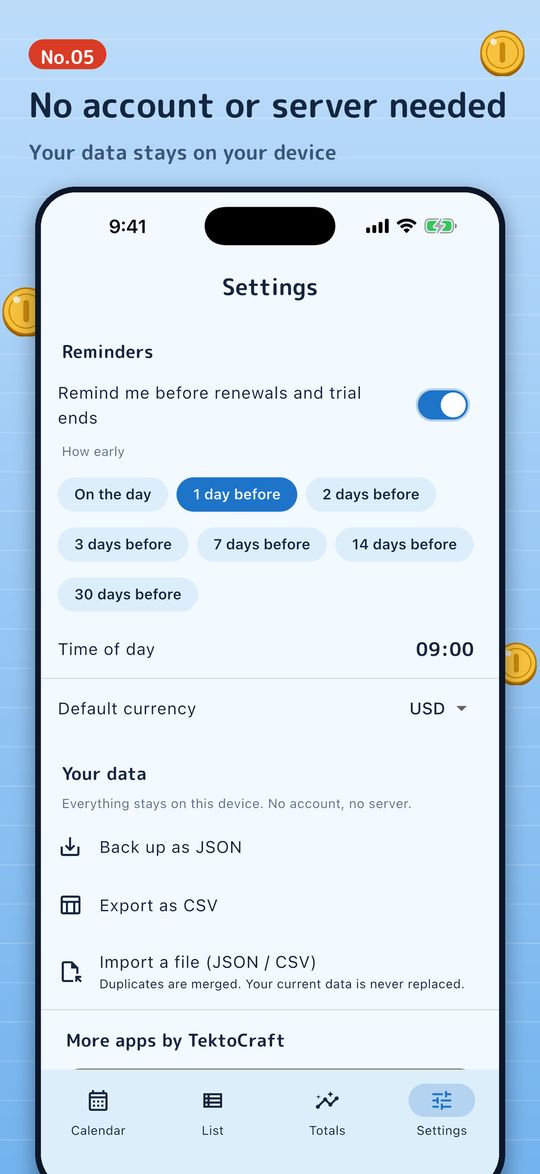
Manage subscription renewal dates with a ledger and a calendar. See at a glance what renews next, and get a nudge before a renewal or a free trial ends. No sign-up, nothing leaves your phone — your data stays on this device.
THE DAYBOOK
A month calendar marks every renewal day. Tap a day to see what renews on it, and “Coming up” lists the next renewals in order.
The List tab shows every subscription like a ledger page: search by name or note, filter by category, free trial or this month, sort by renewal date, cost, order added or category — with the monthly and yearly total on top.
ADD A SUBSCRIPTION
Name, amount, currency, billing cycle (monthly, yearly, weekly, or custom like every 45 days or every 2 months), next renewal date, category and a note. Pick popular video, music and cloud services from suggestions — names only, no logos.
On a free trial? Enter the end date and you’ll be reminded before it runs out. Cancelled or paused plans move to the bottom of the list.
REMINDERS
Choose how early to be told — on the day, 1, 2 or 3 days before, a week, two weeks or a month before (pick several) — and the time of day.
TOTALS & CHARTS
Monthly and yearly totals, a breakdown by category, and a chart of what is charged each month. Yearly plans are averaged per month in the totals and appear only in their renewal month in the chart. Different currencies are shown separately, never converted.
MANY CURRENCIES
Pick a currency for each subscription — 30 to choose from, including USD, EUR, GBP, JPY, CNY, KRW, INR and BRL — so overseas services are recorded the way they are billed. Totals are shown per currency; nothing is converted with exchange rates.
WIDGETS
Put “next renewal” and “this month’s total” on your home screen (and the lock screen on iPhone).
YOUR DATA STAYS YOURS
- No account, no server
- JSON backup and CSV export
- Importing only adds to what you have, merging duplicates — it never replaces your data, and an unreadable file can’t damage it
The app shows ads (low on the screen, never on the add or edit screens).
Service names are just suggestions for typing faster; they are not affiliated with or endorsed by the services.